Explainer: how to spot AI-generated law enforcement videos
Author & Investigator: JP
After the third federal-agent-involved shooting in Minneapolis, videos claiming to show federal agents confronting protesters or investigating local businesses spread quickly across social media.
Some footage was real; others were AI-generated, altered, or reposted without context, often meant to provoke outrage rather than inform.
Sorting real footage from misleading material does not always require advanced tools, but it does require slowing down and applying the same instincts reporters use when verifying breaking news. Here’s how to approach these videos with a critical eye.
Start with the account, not the video
Before analysing a video, look at who posted it and how they frame it. Accounts sharing AI-generated or manipulated content often reveal patterns over time.
Scan their history. Are they sharing original reporting or mostly reposting viral clips with little attribution? Do they mention AI anywhere? Do they have a real connection to the location?
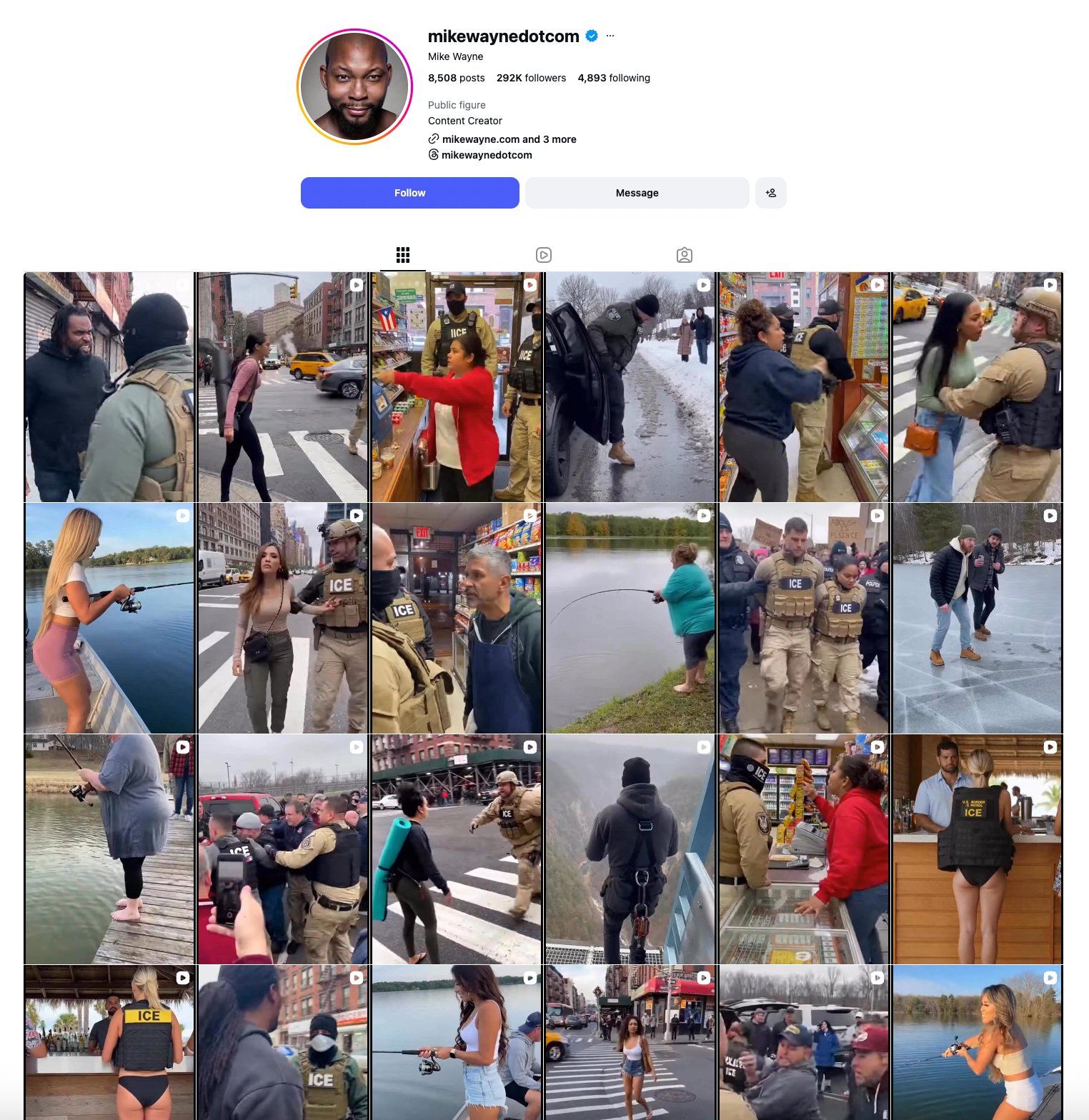
Mike Wayne’s Instagram profile is a prime example of consistently sharing AI-generated posts. His videos do not appear to be filmed from a consistent location and show hallmarks of AI generation, including robotic voices, short clips, and fuzzy or distorted footage. He also describes himself as a content creator and includes a link to his AI marketing business in his bio.
Viral clips are often posted without background information (date/time, location, or an actual source). Always be wary of footage that lacks important context.
Spot visuals and audio that feel off
AI often struggles with realistic movement. People can appear stiff, faces or bodies may repeat, or objects might move in impossible ways. Shadows and lighting can also behave unnaturally.
Audio is another common giveaway: speech may sound flat, overly clean, out of sync with lip movements, or background noise might loop or cut abruptly.
AI videos are frequently very short, providing yet another clue that the clip may be generated rather than authentic.
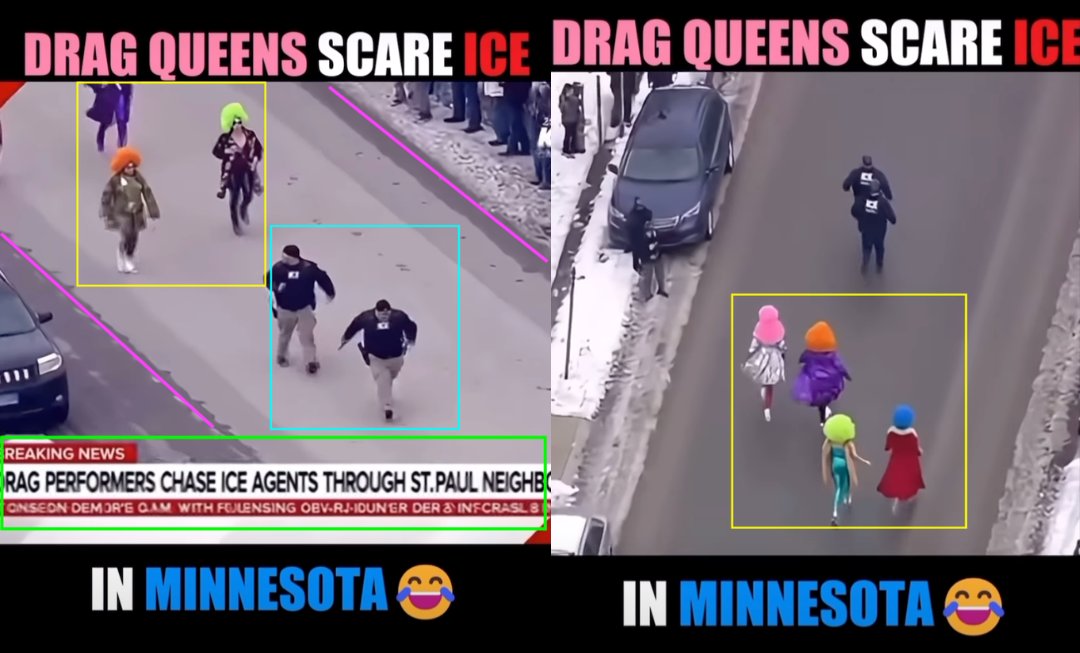
In one clip, four drag queens seem to chase ICE agents, each wearing distinct outfits. But when the camera angle changes, their clothes and hairstyles completely shift. Two of the ICE officers appear to be the same person, and there are no street markings where the scene is supposedly taking place. The newscast text is gibberish and the audio sounds artificial. The moment simply does not make sense.
Pay close attention to the text and uniforms
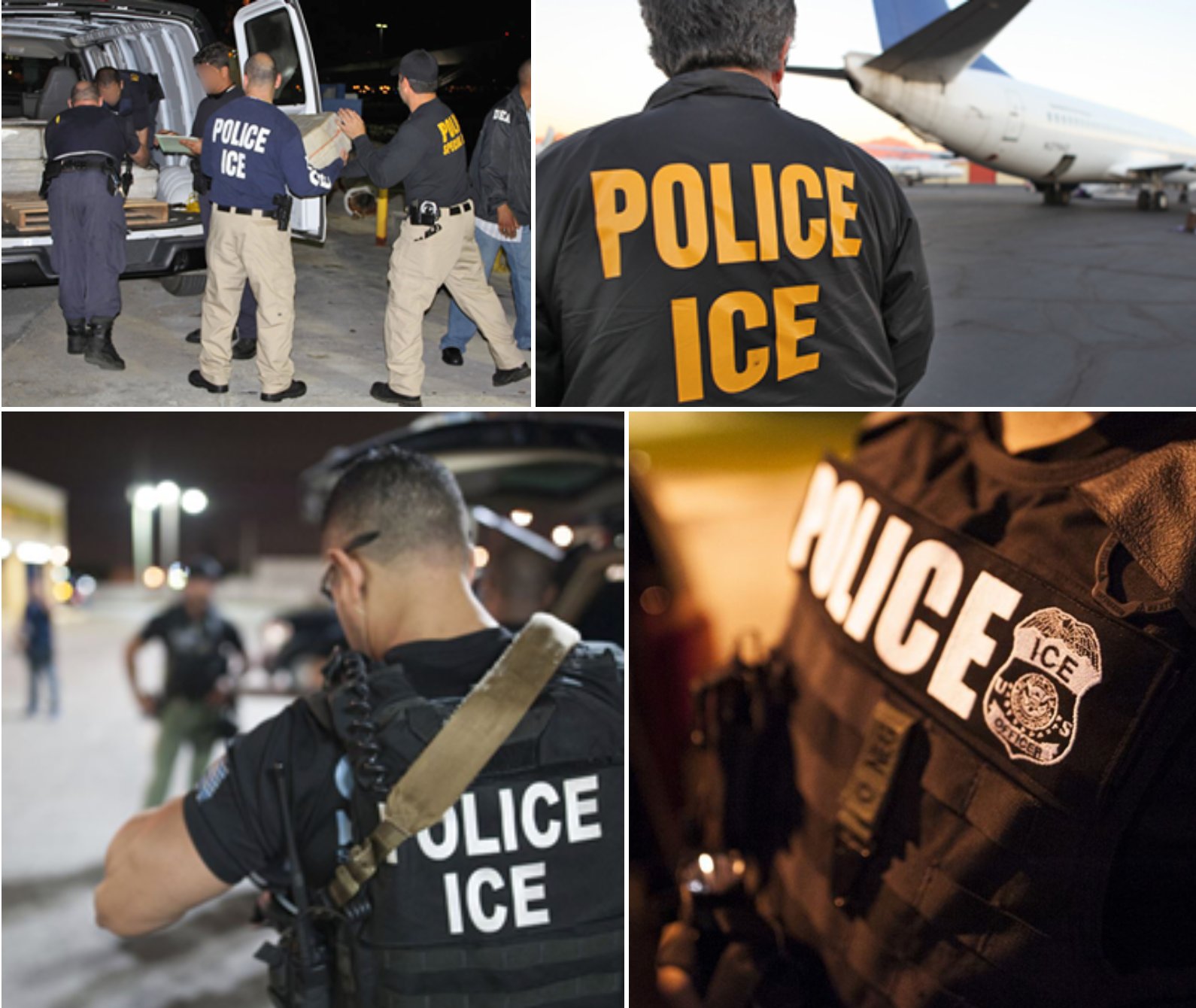
Text and uniforms are often where AI videos slip up. AI generators tend to rely on obvious cues, such as a big “ICE” label, without accurately reflecting how things actually look in real life.
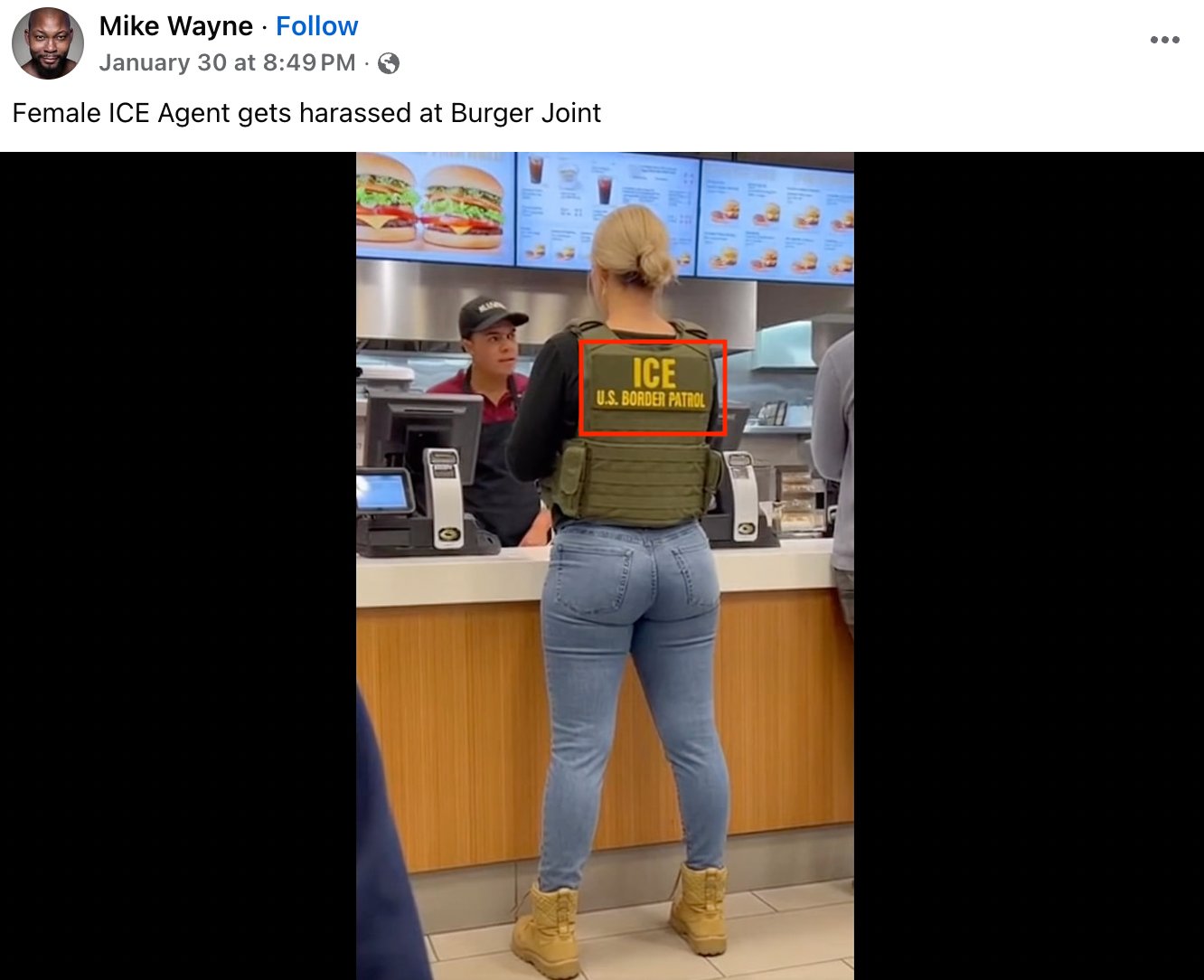
ICE and US Border Patrol are separate agencies, and a uniform displaying both identifiers at once does not align with real-world practice. There is no single standard ICE uniform. Agents may wear plain clothes, tactical vests, or masks. If a video leans too heavily on one label to prove authority, that’s usually a red flag.
Check for signs of editing
Watermarks and compression artifacts (visual glitches caused by repeated editing, downloading, or reposting) can offer clues. Partial logos, blurred corners, or blocky patches often indicate the video has been edited or passed through multiple tools.
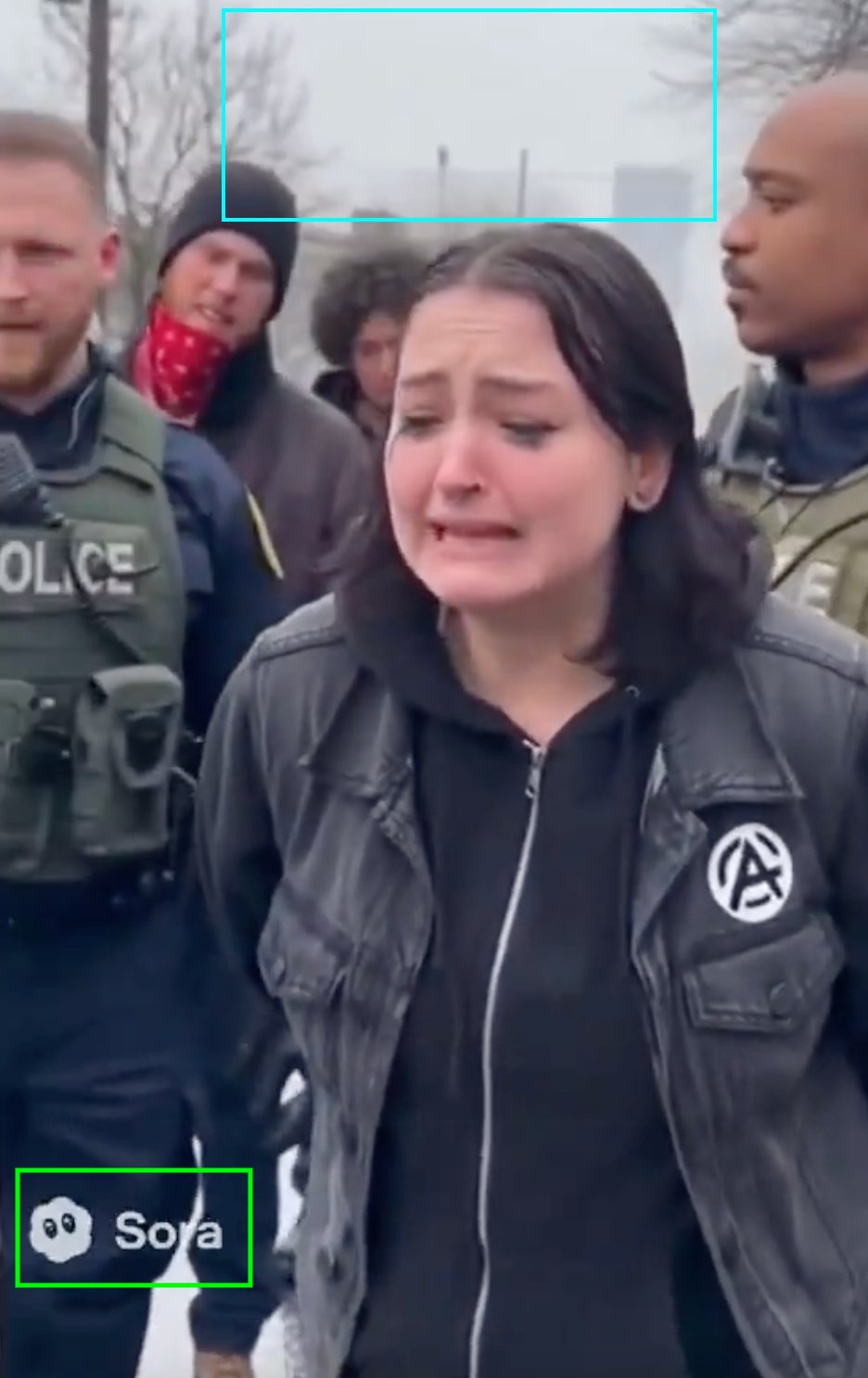
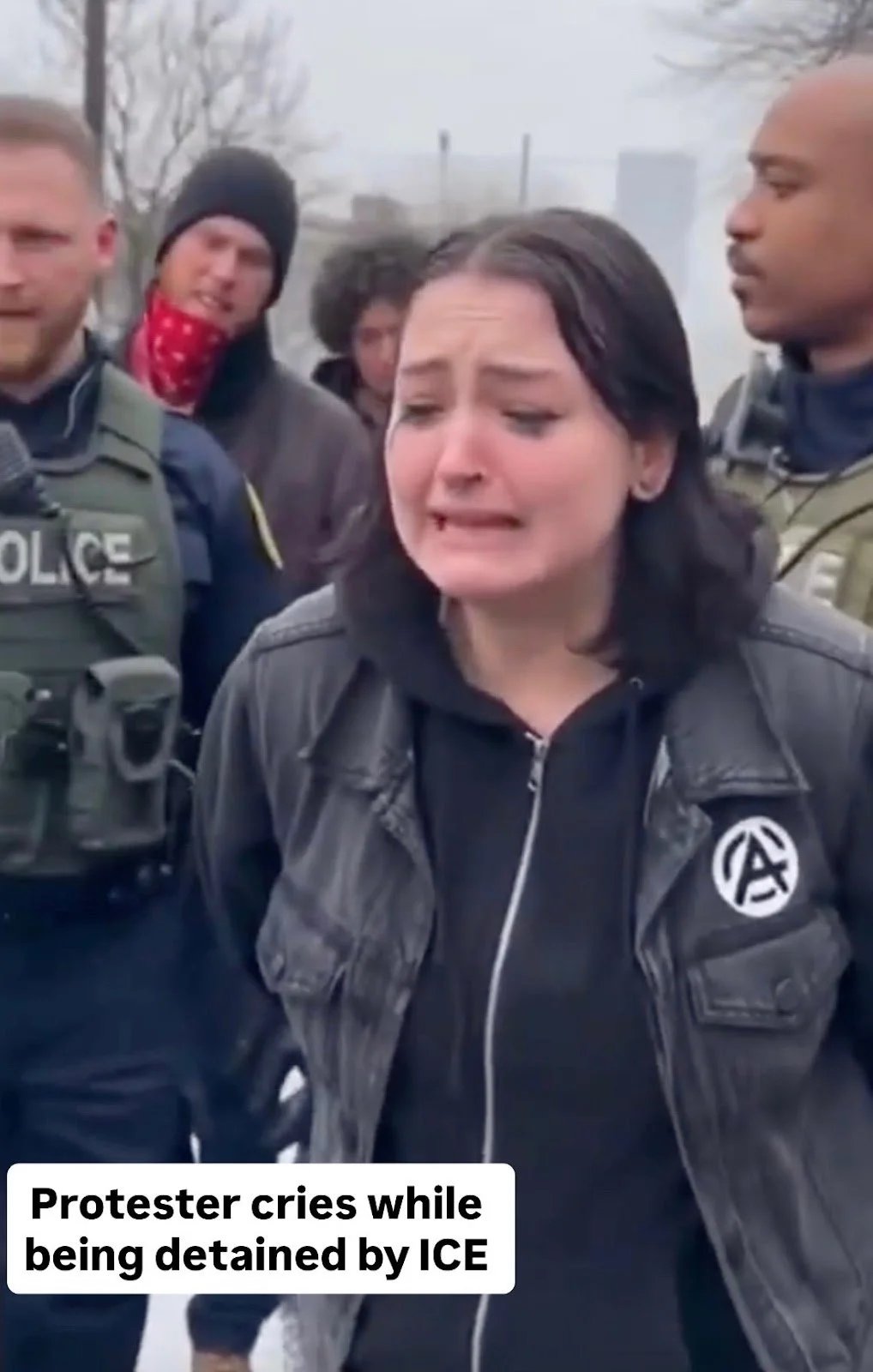
Notice the blocky patch over the “protester” and the Sora logo in the bottom left corner. People sharing this type of footage sometimes try to hide these glitches to make the video appear more authentic (see below).
Compare with verified footage
Many AI videos are built from real material. Comparing them with authentic footage often exposes inconsistencies.
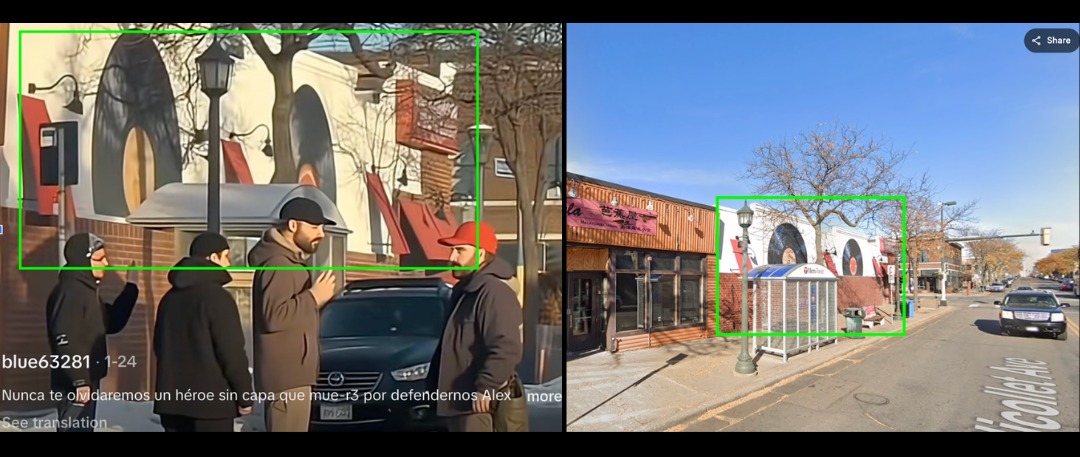
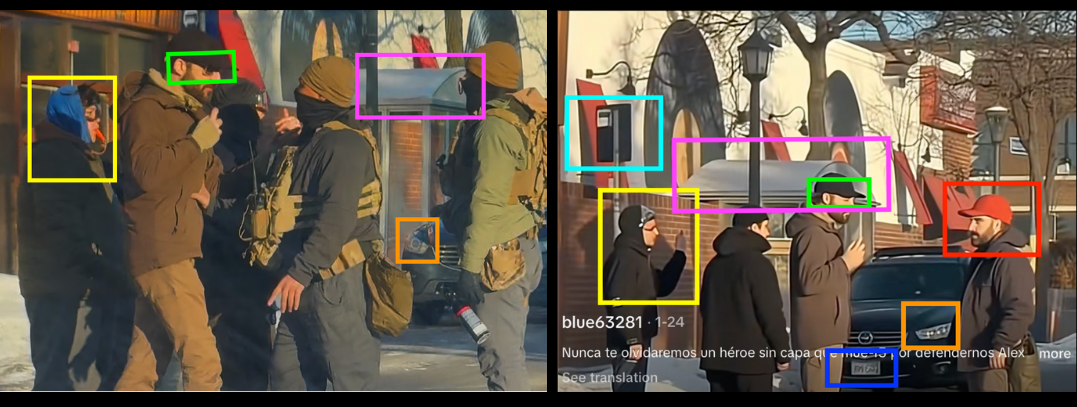
A widely shared AI-generated video of Alex Peretti’s death looked convincing: the location matched, and the man resembled Perett. Screengrabs revealed clear differences such as Peretti wore glasses in the original, the background people did not match, one face was duplicated, blinkers on cars did not align, the license plate featured gibberish text, and architectural details were off.
Always verify before you share
No single red flag proves a video is AI-generated. Analyse all the visual clues: reverse image search key frames, check whether trusted outlets or local reporters have verified the clip, and compare multiple videos from the same event (buildings, signage, weather, clothes, and crowd behaviour should all line up).
Verification takes longer than a quick scroll, but it’s the difference between understanding what really happened and spreading misinformation.
More investigations
View all
The apps that watch you: how stalkerware enables tech-facilitated abuse
Apps sold as parental control let abusers read a partner’s messages, track their location and stay hidden. Intel…
How propaganda travels across borders and online platforms
A comparison of how pro-Taliban, pro-Russia, pro-China and pro-Iran networks produce and amplify propaganda, and how organic and…
Insurgent attacks in southern Thailand: geolocation and analysis
Nine attackers, ninety seconds and two CCTV cameras. Intel Focus geolocates the checkpoint ambush that killed five Thai…